> ## Documentation Index
> Fetch the complete documentation index at: https://developers.fibery.com/llms.txt
> Use this file to discover all available pages before exploring further.
# Overview
> Get started with the Fibery GraphQL API.
The Fibery GraphQL API provides a way to integrate Fibery with your external systems and automate routine tasks. It's capable of performing most of the tasks at hand:
* Read, create, update and delete Entities in Databases.
* Execute a variety of additional actions.
* Work with rich text Fields.
You can find more information about GraphQL basics [by this link](https://graphql.org/?utm_source=Fibery\&utm_medium=iframely "https://graphql.org/?utm_source=Fibery\&utm_medium=iframely").
Non-ASCII or non-English characters in field or database names will be transliterated to English.
Every Fibery Space has its own GraphQL endpoint, which can be found at `https://YOUR_ACCOUNT.fibery.io/api/graphql/space/YOUR_SPACE`
or the list of all your space's end-points can be found at `https://YOUR_ACCOUNT.fibery.io/api/graphql`
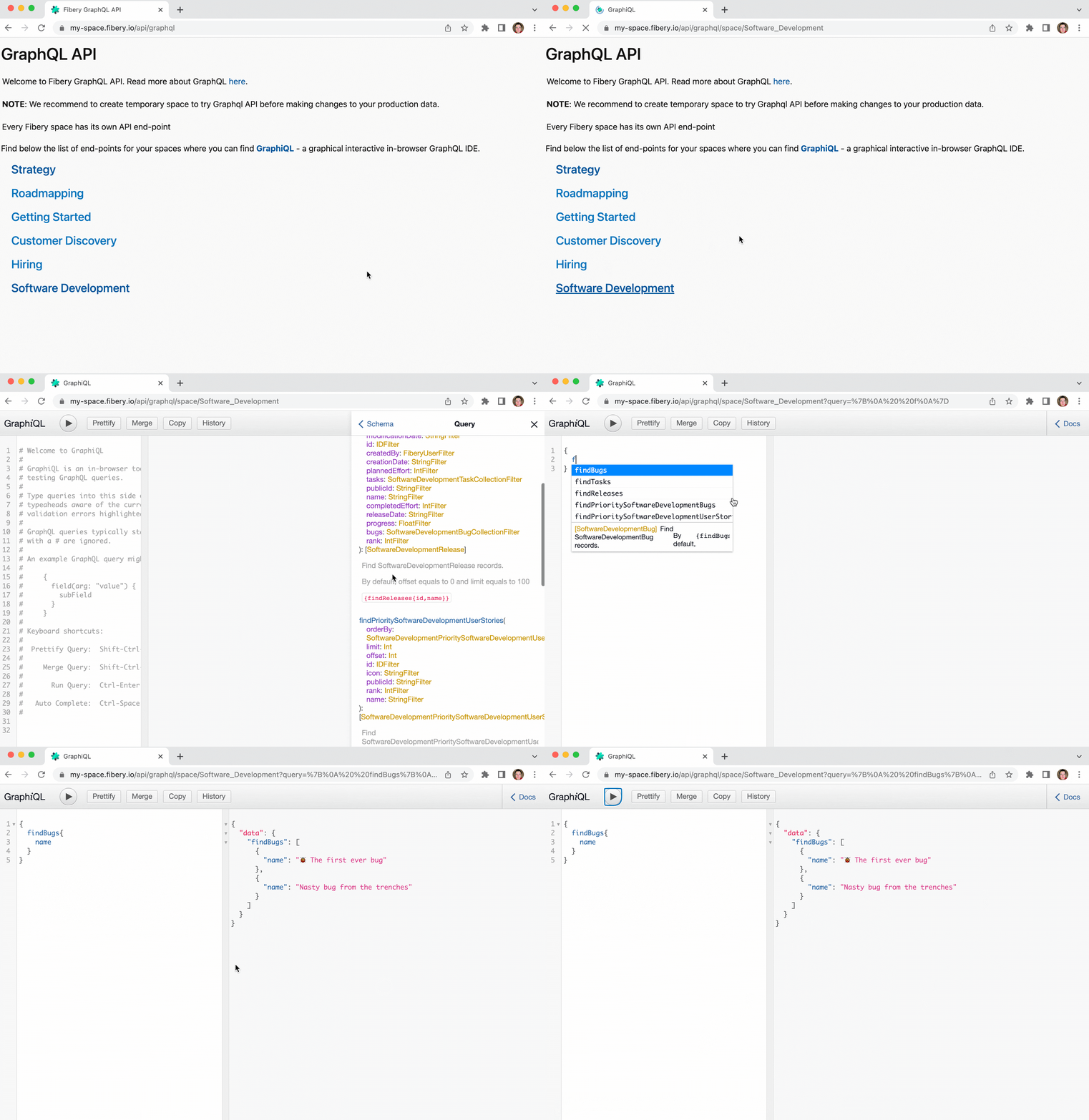
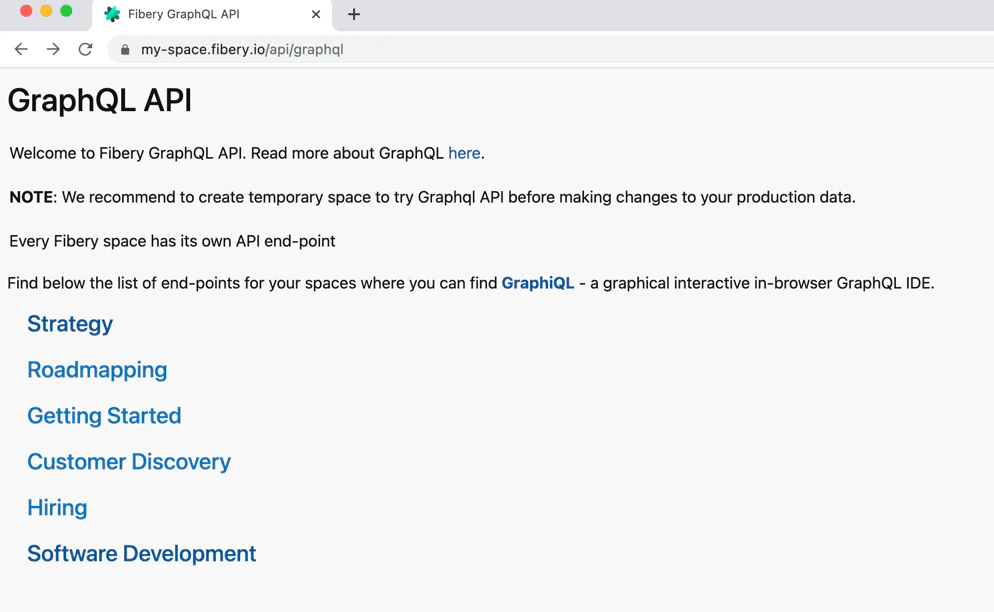 By opening space's end-point in your browser you will find a graphical interactive in-browser GraphQL IDE. Here you can explorer space's GraphQL documentation and execute your GraphQL queries.
 To read or edit data, you need to send a POST JSON request to the `https://YOUR_ACCOUNT.fibery.io/api/graphql/space/YOUR_SPACE` endpoint from your code.