> ## Documentation Index
> Fetch the complete documentation index at: https://developers.fibery.com/llms.txt
> Use this file to discover all available pages before exploring further.
# Using the IDE
> Explore the Fibery GraphQL schema in the built-in IDE.
GraphQL is a query language for APIs and a runtime for fulfilling those queries with your existing data.
The good news is that Fibery GraphQL IDE can be used by non-tech users to retrieve and modify the database records in a quick and simple way since it has autocomplete and easy to understand language.
 ## How to start
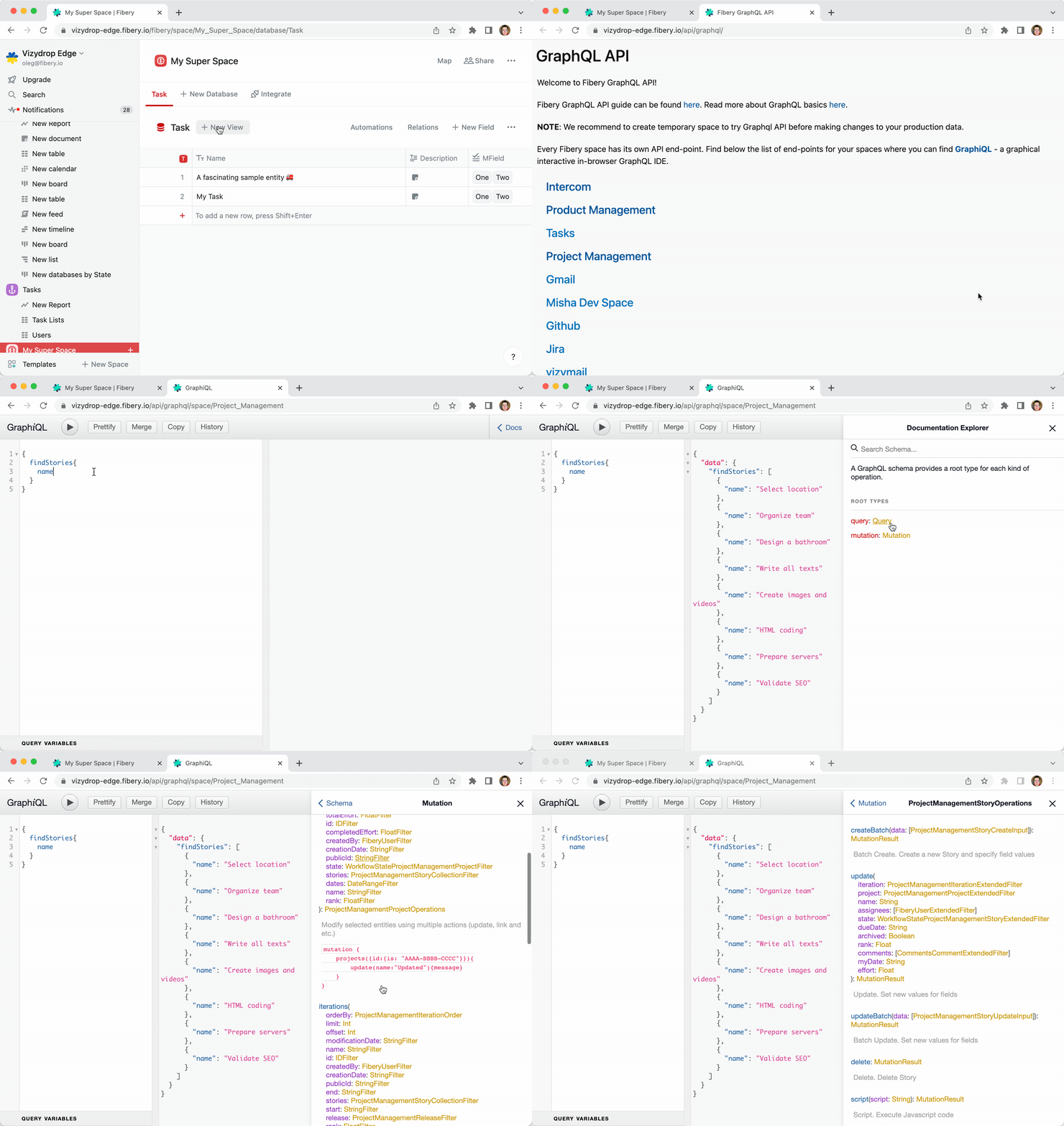
Every space has separate GraphQL API endpoint. The list of available space API endpoints can be found by following the link: `{your fibery host}/api/graphql`
## How to start
Every space has separate GraphQL API endpoint. The list of available space API endpoints can be found by following the link: `{your fibery host}/api/graphql`
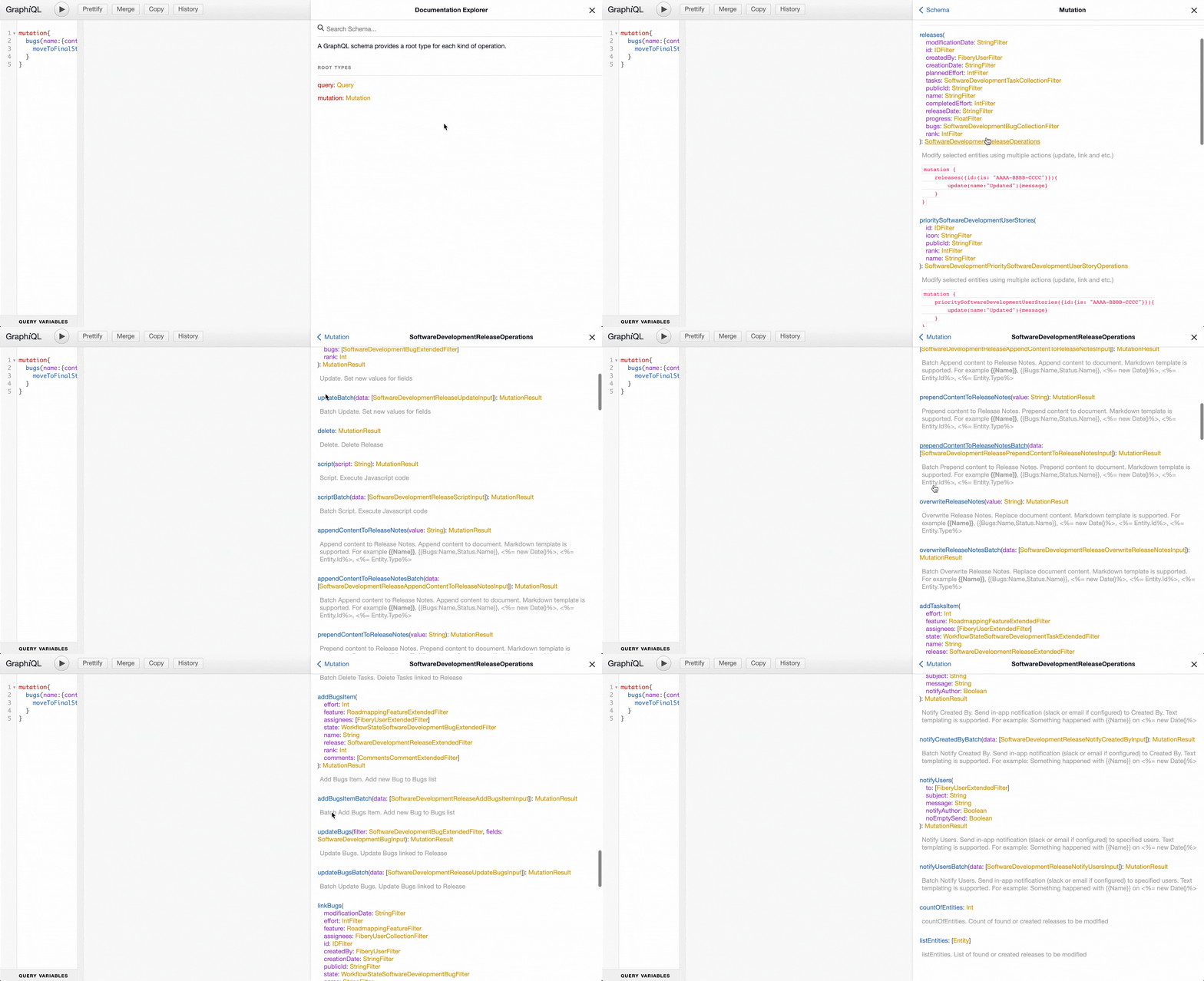
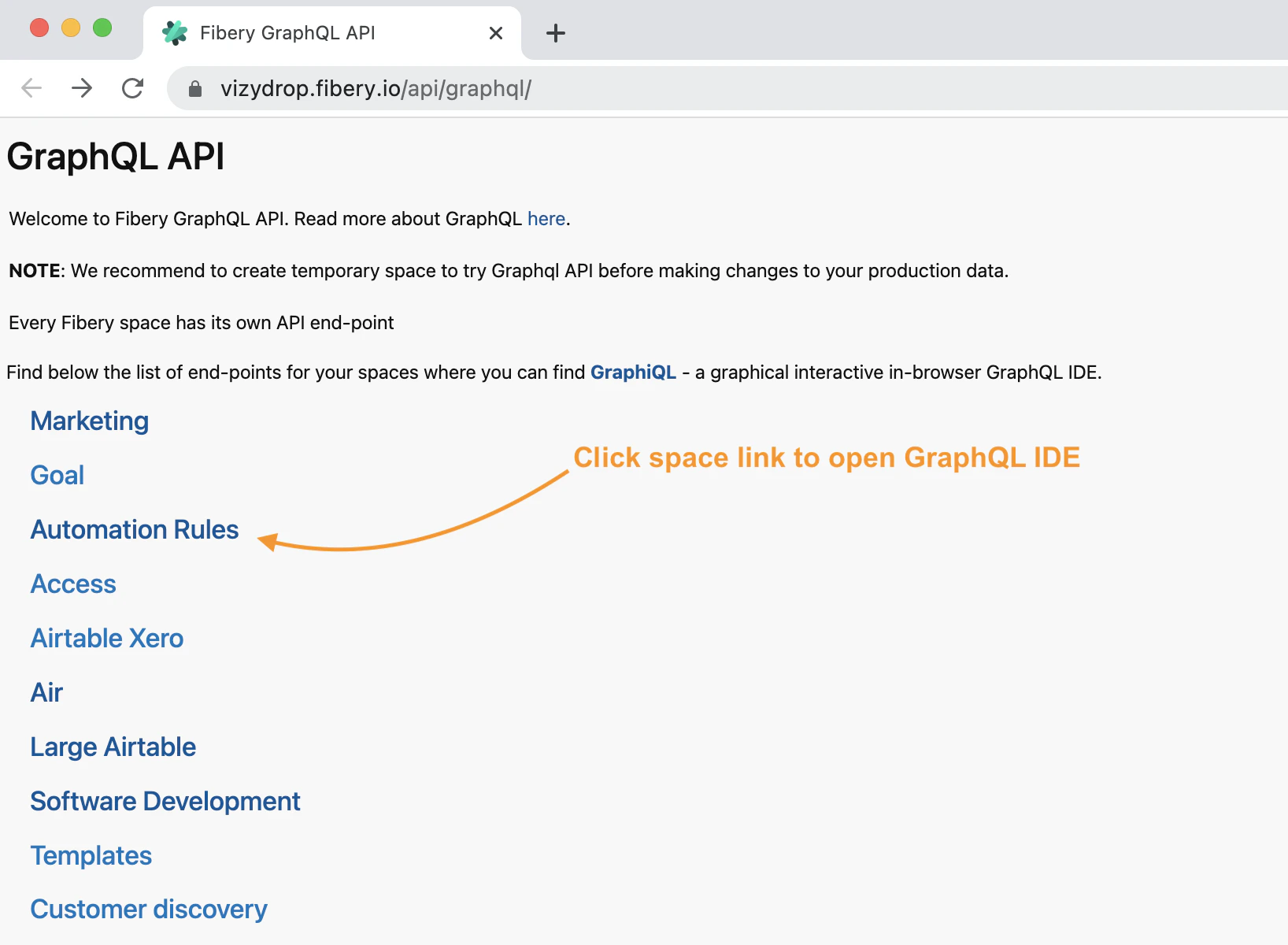 By opening space's end-point in your browser you will find a graphical interactive in-browser GraphQL IDE. Here you can explorer space's GraphQL documentation and execute your GraphQL queries.
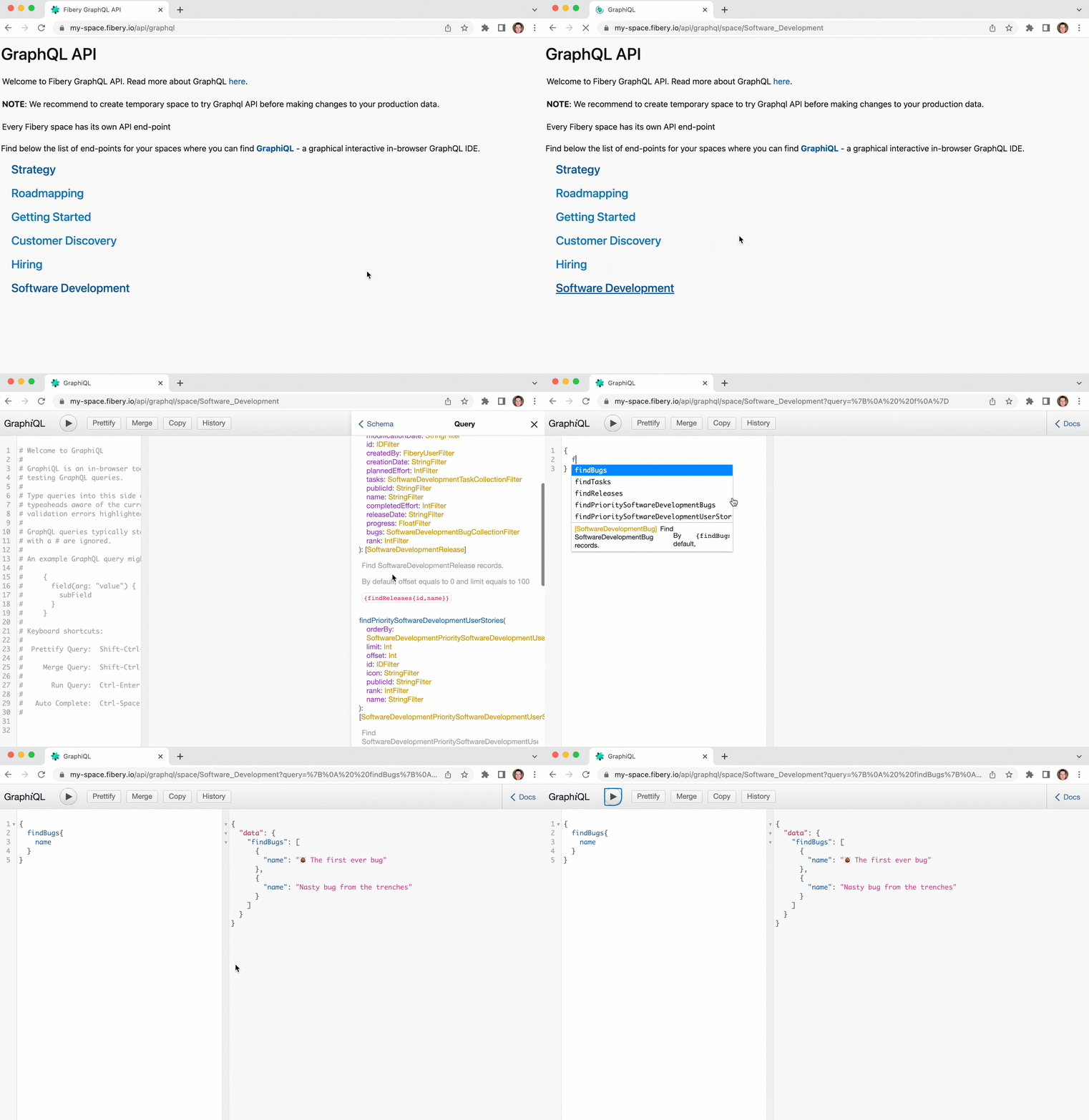 Now you are ready to find records in your database.
## How to find database records
The records can be queried using query which starts from `find`
For example:
```graphql theme={null}
{
findBugs(name: {contains: "first"}) {
id
name
state {
name
}
assignees {
name
}
}
}
```
Now you are ready to find records in your database.
## How to find database records
The records can be queried using query which starts from `find`
For example:
```graphql theme={null}
{
findBugs(name: {contains: "first"}) {
id
name
state {
name
}
assignees {
name
}
}
}
```
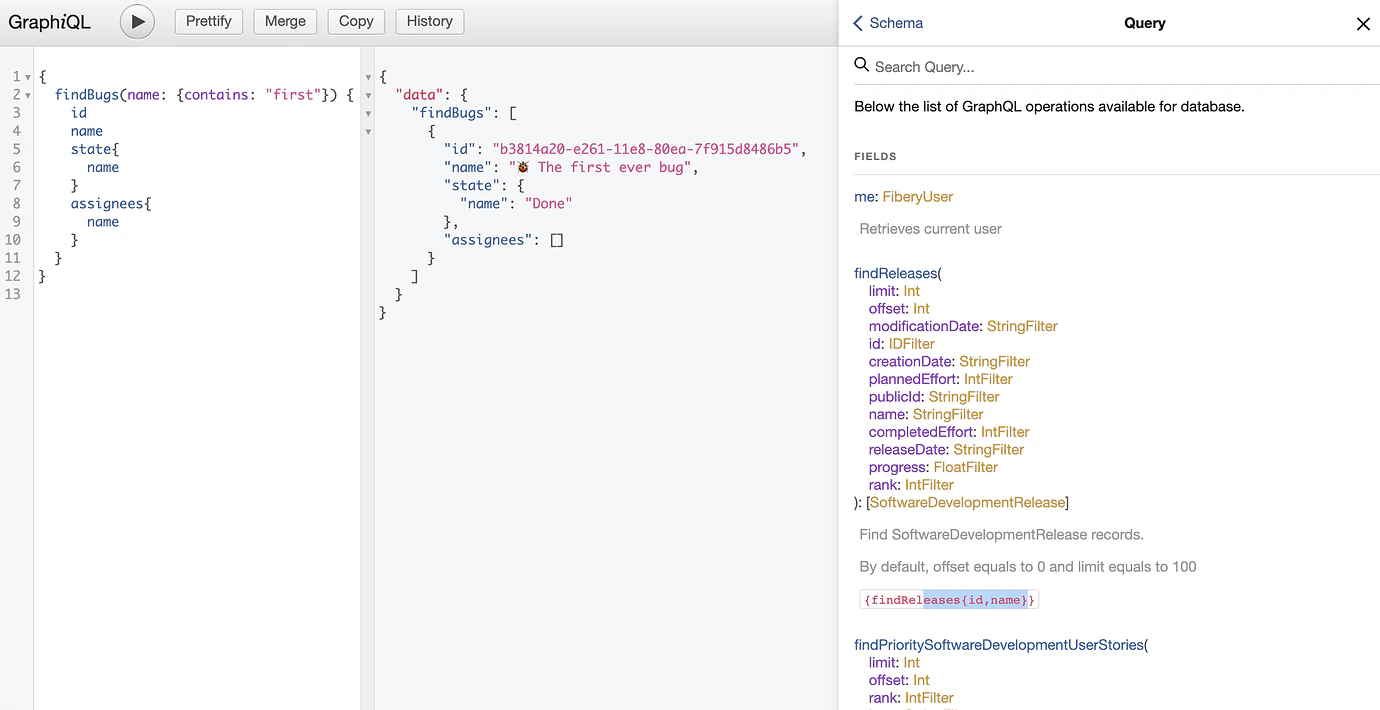 Read more about queries including sorting and paging in [GraphQL queries](/guides/graphql/queries).
## How to modify or create database records
There are multiple operations available for modifying database records. These operations can be performed for found entities by provided filter or for created records in corresponding database.
Read more about queries including sorting and paging in [GraphQL queries](/guides/graphql/queries).
## How to modify or create database records
There are multiple operations available for modifying database records. These operations can be performed for found entities by provided filter or for created records in corresponding database.
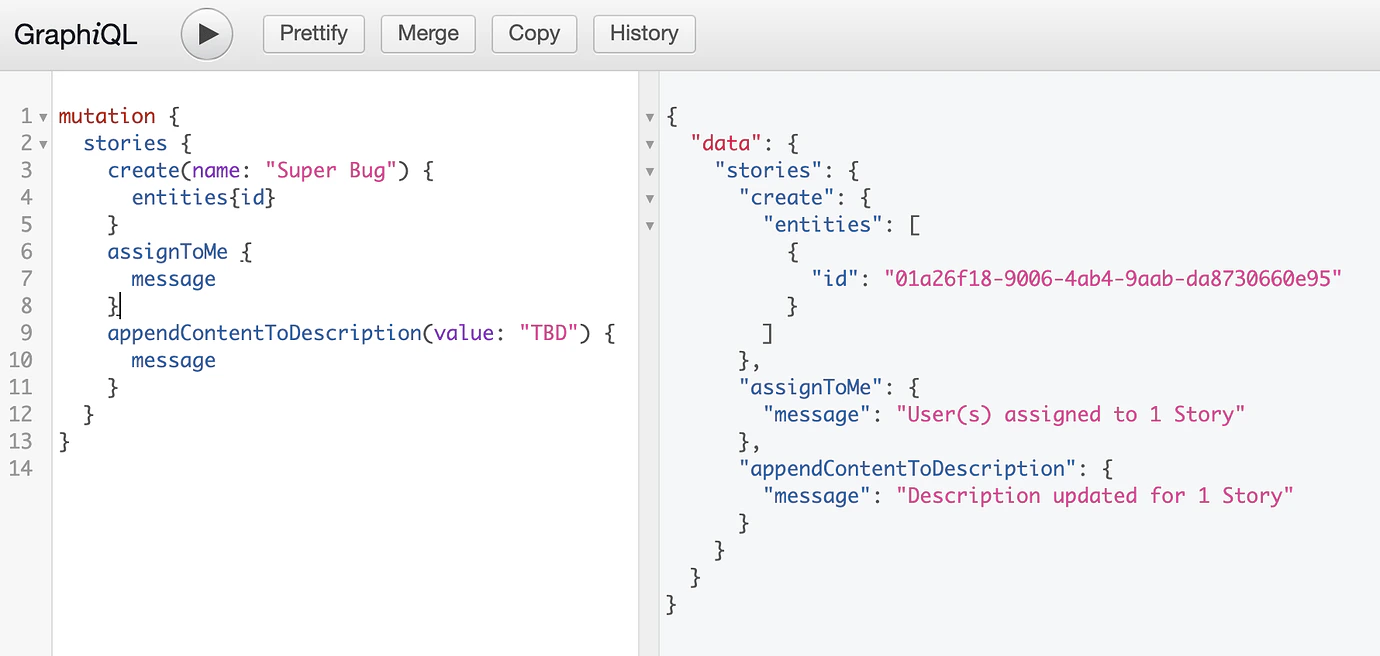
 Find below an example of operations which can be performed for created record. In this example new bug created, assigned to author of API call, description with a template content is set to bug description.
```graphql theme={null}
mutation {
stories {
create(name: "Super Bug") {
message
}
assignToMe {
message
}
appendContentToDescription(
value: "This is a description of *{{Name}}*"
) {message}
}
}
```
Find below an example of operations which can be performed for created record. In this example new bug created, assigned to author of API call, description with a template content is set to bug description.
```graphql theme={null}
mutation {
stories {
create(name: "Super Bug") {
message
}
assignToMe {
message
}
appendContentToDescription(
value: "This is a description of *{{Name}}*"
) {message}
}
}
```
 For creating multiple records batch operation command **createBatch** can be used.
```graphql theme={null}
mutation {
stories {
createBatch(data: [
{name: "Bug 1"}
{name: "Bug 2"}
]) {
entities {
id
}
}
assignToMe {
message
}
appendContentToDescription(value: "TBD") {
message
}
}
}
```
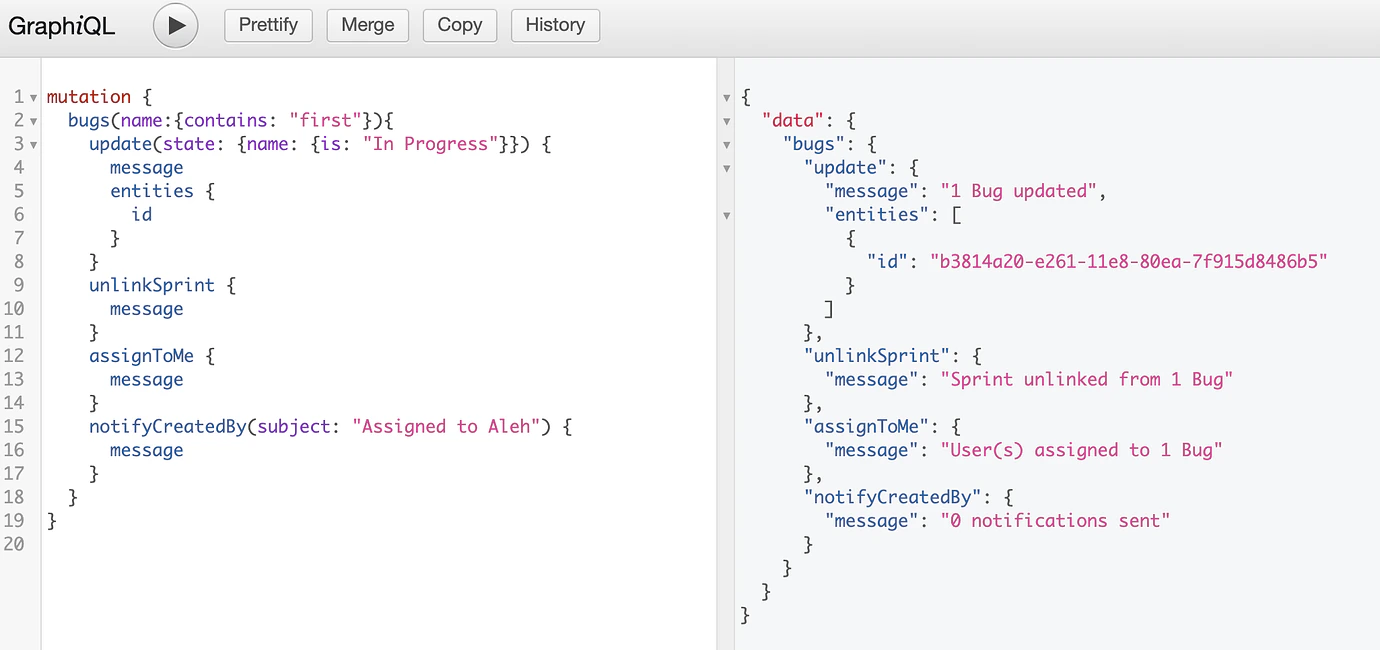
Find below the example of operations which can be performed for found records by provided filter as params to root node of mutation. Bugs with word “first” in name are moved into “In Progress” state, sprint is unlinked, found bugs are assigned to author of API call and the owner of found stories is notified.
```graphql theme={null}
mutation {
bugs(name: {contains: "first"}) {
update(state: {name: {is: "In Progress"}}) {
message
entities {
id
}
}
unlinkSprint {
message
}
assignToMe {
message
}
notifyCreatedBy(subject: "Assigned to Aleh") {
message
}
}
}
```
For creating multiple records batch operation command **createBatch** can be used.
```graphql theme={null}
mutation {
stories {
createBatch(data: [
{name: "Bug 1"}
{name: "Bug 2"}
]) {
entities {
id
}
}
assignToMe {
message
}
appendContentToDescription(value: "TBD") {
message
}
}
}
```
Find below the example of operations which can be performed for found records by provided filter as params to root node of mutation. Bugs with word “first” in name are moved into “In Progress” state, sprint is unlinked, found bugs are assigned to author of API call and the owner of found stories is notified.
```graphql theme={null}
mutation {
bugs(name: {contains: "first"}) {
update(state: {name: {is: "In Progress"}}) {
message
entities {
id
}
}
unlinkSprint {
message
}
assignToMe {
message
}
notifyCreatedBy(subject: "Assigned to Aleh") {
message
}
}
}
```
 Read more about [GraphQL mutations](/guides/graphql/mutations).
## Samples
### Retrieve tasks assigned to current user
```graphql theme={null}
{
findTasks(assignees: {contains: {id: {is: "$my-id"}}}) {
name,
description {
md
}
}
}
```
### Retrieve content of rich fields and documents
You can download content of rich fields or comments in four formats: `jsonString`, `text`, `md`, `html`.
```graphql theme={null}
{
findFeatures {
name,
description {
text
}
}
}
```
### Batch update of multi select field
Set values "One" and "Two" to multi select field.
```graphql theme={null}
mutation {
tasks(multiSelect: {isEmpty: true}) {
update(
multiSelect: {name: {in: ["One", "Two"]}}
)
{
message
}
}
}
```
### Assign tasks to current user
```graphql theme={null}
mutation {
tasks(assignees: {notContains: {id: {is: "$my-id"}}}) {
assignToMe {message}
}
}
```
### Change value of rich field
Let's assume `Feature` database has rich field `Description`. Rich field can be updated using methods below.
[Markdown Templates](https://the.fibery.io/@public/User_Guide/Guide/Markdown-Templates-53) are supported as well.
```graphql theme={null}
mutation {
features(id: {is: "ABC"}) {
overwriteDescription(value: "rewrite {{NAME}} desc") {message}
appendContentToDescription(value: "text to append") {message}
prependContentToDescription(value: "text to prepend") {message}
}
}
```
### Clear values with GraphQL
```graphql theme={null}
mutation {
stories(id: {isNull: false}) {
update(myDate: null) {message}
}
}
```
Read more about [GraphQL mutations](/guides/graphql/mutations).
## Samples
### Retrieve tasks assigned to current user
```graphql theme={null}
{
findTasks(assignees: {contains: {id: {is: "$my-id"}}}) {
name,
description {
md
}
}
}
```
### Retrieve content of rich fields and documents
You can download content of rich fields or comments in four formats: `jsonString`, `text`, `md`, `html`.
```graphql theme={null}
{
findFeatures {
name,
description {
text
}
}
}
```
### Batch update of multi select field
Set values "One" and "Two" to multi select field.
```graphql theme={null}
mutation {
tasks(multiSelect: {isEmpty: true}) {
update(
multiSelect: {name: {in: ["One", "Two"]}}
)
{
message
}
}
}
```
### Assign tasks to current user
```graphql theme={null}
mutation {
tasks(assignees: {notContains: {id: {is: "$my-id"}}}) {
assignToMe {message}
}
}
```
### Change value of rich field
Let's assume `Feature` database has rich field `Description`. Rich field can be updated using methods below.
[Markdown Templates](https://the.fibery.io/@public/User_Guide/Guide/Markdown-Templates-53) are supported as well.
```graphql theme={null}
mutation {
features(id: {is: "ABC"}) {
overwriteDescription(value: "rewrite {{NAME}} desc") {message}
appendContentToDescription(value: "text to append") {message}
prependContentToDescription(value: "text to prepend") {message}
}
}
```
### Clear values with GraphQL
```graphql theme={null}
mutation {
stories(id: {isNull: false}) {
update(myDate: null) {message}
}
}
```