
Managing tokens
The number of tokens is limited to 3 per user. You can generate, list and delete tokens on the “API Tokens” page available from the workspace menu.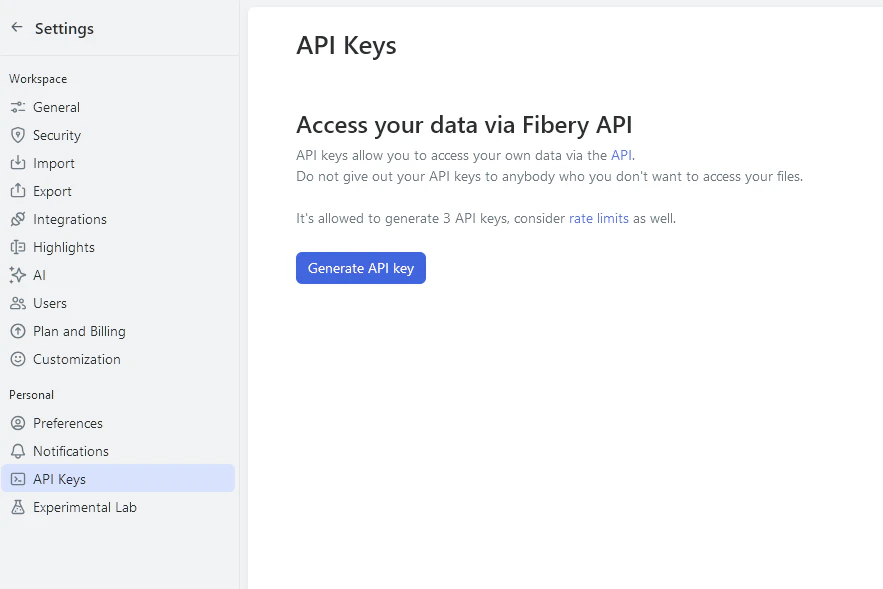
GET /api/tokens— lists all access tokens that were given to current userPOST /api/tokens— creates new token for current userDELETE /api/tokens/:token_id— deletes token by id

You need to be authenticated with a browser cookie or with an already existing token when accessing these endpoints.
Request limits
To ensure system stability and consistent user experience, our API is rate-limited. Rate-limited requests will return a “Too Many Requests” error (HTTP response status429). The rate limit for incoming requests is 3 requests per second per token. Additionally the entire workspace is limited to 7 requests per second.
Rate limits may change. In the future we may adjust rate limits to balance for demand and reliability.
OAuth flow
If your app acts on behalf of Fibery users, use OAuth 2.0 instead of a static API token. Once the flow completes, you get an access token that is used exactly like an API token — pass it asAuthorization: Bearer <access_token> to every Fibery API request.
Note the scheme difference: OAuth access tokens use the
Bearer prefix, while static API tokens use the Token prefix.Register an OAuth application
Workspace admins register OAuth applications in Settings → OAuth Applications. An OAuth application belongs to the workspace it was created in: only that workspace’s members can authorize it, and its tokens work only there.OAuth Applications user guide
Step-by-step instructions for creating and managing OAuth applications in workspace settings.
If you build an app that should work with any Fibery workspace, contact Fibery Support. We’ll register a public client for you.
Endpoints
Fibery uses the standard Authorization Code grant. The authorization server lives athttps://auth.fibery.io:
Scopes
Every OAuth application is registered with both scopes. There are no granular scopes: an access token carries the same permissions as the user who authorized it, exactly like a personal API token.
Flow
Refer to RFC 6749 for the spec details of each step — Fibery follows it as-is. A few specifics:statemust be at least 8 characters long.- Authenticate at the token endpoint with HTTP Basic auth (
client_secret_basic). - PKCE is supported but optional. Use
S256as thecode_challenge_method. redirect_urimust exactly match one of the URIs registered for the OAuth application, including path and query. Wildcards are not supported. OnlyhttpsURIs are allowed, except loopback addresses (http://127.0.0.1,http://[::1],http://localhost), which match on any port.