
- Data created or modified after the certain date.
- Data from certain repositories, channels, groups.
- Deleted or archived data.
- Etc.
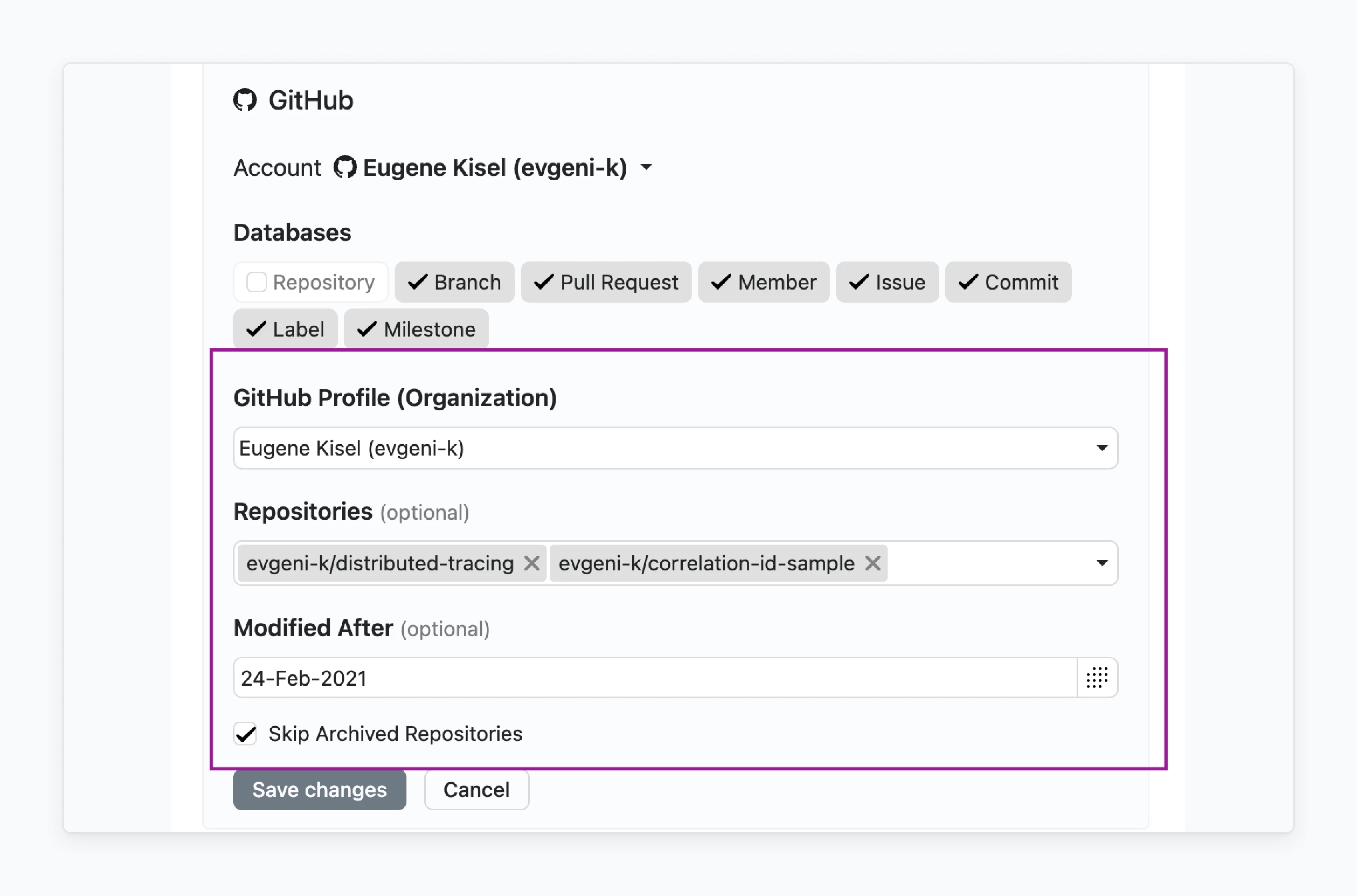
Filter configuration sample
Text Filter
Simple text Filter available withtype="text" :

Configuration sample
Number Filter
Simple number Filter available withtype="number" :

Configuration sample
Single Date Filter
Simple single date Filter available withtype="datebox":

Configuration sample
Checkbox Filter
Simpletrue/false Filter available with type="bool":

Configuration sample
Single Select Filter
Filter based on predefined values which is rendered as Single Select. Connector should provide available values via datalist endpoint. Following attributes should be specified:type="list"datalist=true

Configuration sample 1
datalist_requires attribute where value is an array of ID of another datalists .
Configuration sample 2
Multi Select Filter
This Filter is based on predefined values which are rendered as Multi Select Field. The connector should provide available values via datalist endpoint. Following attributes should be specified:type="multidropdown"datalist=true

Configuration sample 1
datalist_requires attribute where value is an array of ID of another datalists
Configuration sample 2

If you haven’t found applicable Filter, please contact us in the support chat or in the community.