
App Configuration
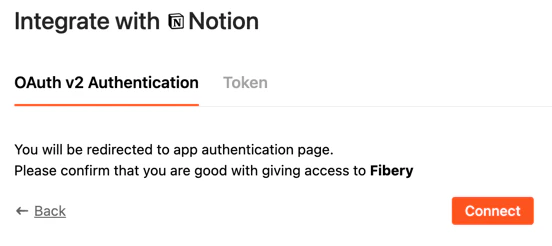
Returns the description of the app and possible ways to be authenticated in Notion. Route in app.jsOAuth2
Hardcoded"oauth2" should be used as id in case you would like to implement OAuth2 support in integration app.
Token Authentication
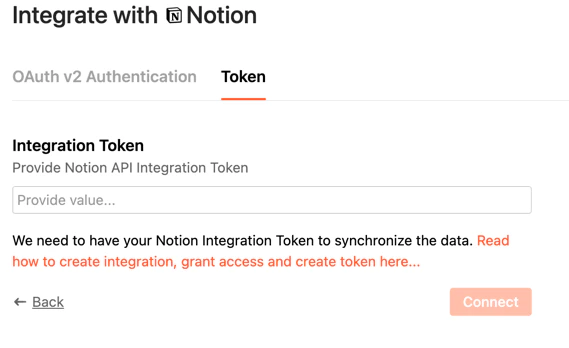
You may use special fieldtype: "link" in order to provide url for external resource where the user can get more info. Use type:"password" for tokens or other text fields which need to be secured.
Token Authorization
The implementation of token authentication is the simplest way to implement. We always used it for testing and development since it is not required UI interaction. The request containsid of auth and user provided values. In our case it is key. Other fields are appended by system and can be ignored.
Route (app.js):
OAuth 2
OAuth 2 is a bit more complex and requires several routes to be implemented. ThePOST /oauth2/v1/authorize endpoint performs the initial setup for OAuth version 2 accounts using Authorization Code grant type by generating redirect_uri based on received parameters.
Read more in Custom App: OAuth.
POST /oauth2/v1/access_token endpoint performs the final setup and validation of OAuth version 2 accounts. Information as received from the third party upon redirection to the previously posted callback_uri are sent to this endpoint, with other applicable account information, for final setup.
app.js
access_token will be passed into /validate for validating token in future calls.
Synchronizer configuration
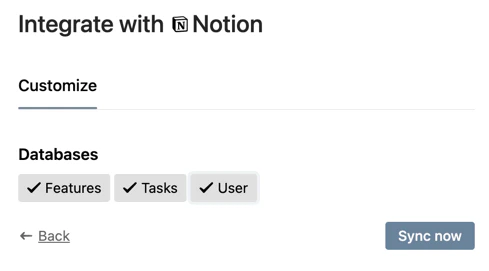
This endpoint returns types which should be synced to Fibery databases. In Notion case it is the list of databases. Staticuser type is added. Check how the configuration response looks like for Notion Demo.
Schema of synchronization
The schema which describes fields and relations should be provided for each sync type. Find full implementation here. It is not easy thing to implement since we are talking about dynamic data in Notion databases. app.js (schema route)subType attribute. Relations can be mapped as well. Rich text can be sent as html or md by defining corresponding type="text" and subType="md" or "html".
Note: Relation between databases(types) should be declared only once. Double declarations for relations will lead to duplication of relations in Fibery databases. We implemented the function cleanRelationsDuplication in order to remove redundant relation declarations from schema fields.
Files field mapping:
Data route
Notion supports paged output, so it is handy to fetch data page by page. The response should includepagination node with hasNext equals to true or false and nextPageConfig (next page configuration) which will be included with the future request as pagination.
You may notice that we have included schema into nextPageConfig (pagination config). It is not required and it is done as an optimization in order to save some between pages fetching on schema resolving. In other words the pagination can be used as a context cache between page calls.
app.js